
Taco Bell Gift Cards, Where to Buy, How to Use, and Everything
By Senior Food & Retail Researcher
Independent guide. Not affiliated with Taco Bell Corp. For complete terms, see our Disclaimer and Terms and Conditions.
I have given a lot of Taco Bell gift cards in my life. Birthdays. Christmas. That friend who eats Crunchwrap Supremes three times a week and refuses to learn how to cook. Every time I hand one over, I get the same reaction—genuine excitement, followed immediately by questions. Can I use this on the app? Does it work for delivery? What happens if I lose the physical card? Most people figure out the first question on their own.
The rest go unanswered, and that little plastic card ends up buried in a wallet or shoved in a drawer because the recipient is not sure how to actually use it. This guide walks through the entire Taco Bell gift card process, start to finish. Where to buy them. How to check your balance without scratching off the back of the card and squinting at tiny text. How to use them in the app, on the website, at the drive-thru, and for delivery.
The quirks that trip people up—like why you cannot reload most physical cards and what happens when your order total exceeds the card balance. I have tested every method described here. Some of them work exactly the way you would expect. Others do not, and I will tell you which is which. For more on how we research and maintain editorial independence, visit our About Us page.
What Taco Bell Gift Cards Actually Are
A Taco Bell gift card is a prepaid card that holds a set dollar amount you or someone else can use to pay for food and drinks at any participating Taco Bell location in the United States. Taco Bell is one of the flagship brands under Yum! Brands, alongside KFC and Pizza Hut, though gift cards only work at Taco Bell restaurants and cannot be used across the other chains. They work like cash but are restricted to Taco Bell purchases only.
Gift cards come in two formats. Physical cards are the traditional plastic rectangles you pick up at a store or receive in the mail. eGift cards are digital—purchased online and delivered by email, with a code you can use immediately without waiting for anything to ship.
Both types hold a balance that you can spend across multiple orders. If you have a $25 card and spend $12 on lunch, you still have $13 left for next time. You do not have to drain the whole balance in one transaction.
Where to Buy Taco Bell Gift Cards
You have more options than you probably realize. Taco Bell gift cards are sold through four main channels.
Taco Bell restaurants. Walk into any participating location and you will find physical gift cards near the register. Ask the cashier. They usually keep them in a display stand or behind the counter. You can load any amount at the register, though some locations set a minimum, typically $5.
The Taco Bell website. This is the most flexible option. You can purchase both physical cards and eGift cards with custom dollar amounts. Physical cards ship by mail and take a few business days to arrive. eGift cards are delivered by email, usually within a few hours, though I have received them in under ten minutes during business hours. You choose the design—there are usually several options ranging from classic Taco Bell branding to seasonal or holiday themes—and enter the dollar amount you want.
Major retailers. Grocery stores, drugstores, and big-box chains like Walmart, Target, Walgreens, and CVS carry Taco Bell gift cards in their gift card aisles. The selection is usually limited to one or two standard designs. These cards come with fixed denominations, typically $10, $25, or $50. You cannot choose a custom amount at these retailers the way you can on the website. You pay at the register and the card activates at purchase.
Third-party gift card platforms. Websites like Amazon, GiftCards.com, and Raise sell Taco Bell gift cards. Some of these platforms offer eGift delivery. Others sell physical cards shipped by mail. Occasionally you can find discounted cards on resale platforms—people selling unwanted gift cards for less than their face value—but this comes with risk. Taco Bell does not guarantee third-party resale purchases, and there is no way to verify a resold card’s balance until you try to use it.
Physical Cards vs. eGift Cards
The choice between physical and digital comes down to how quickly you need the card and how you plan to use it.
Physical cards are better for gifts. You hand someone a tangible thing. It feels like a present. They can keep it in their wallet and pull it out at the drive-thru like a credit card. The downside is shipping time if you order online, and the fact that you can lose a physical card. If it disappears, the balance disappears with it. There is no way to recover a lost physical gift card unless you registered it on the Taco Bell website before losing it.
eGift cards are faster. You buy one online, it lands in your inbox, and you can use it immediately. No shipping. No plastic. The code comes in the email, and you enter that code in the app or show it at the register. The risk with eGift cards is email delivery. If you mistype the recipient’s email address, someone else receives the code. Double-check before you hit purchase. Also check your spam folder before assuming a card did not arrive—Taco Bell eGift emails sometimes get filtered.
Both types work in the app, on the website, and in-store. One is not more restrictive than the other. The difference is purely in delivery and format.
How to Check Your Gift Card Balance
There are three ways to check how much money is left on your Taco Bell gift card.
On the Taco Bell website. Go to the gift card balance page. You will need the card number and the PIN or security code. On a physical card, the card number is on the back. The PIN is usually hidden under a scratch-off panel. On an eGift card, both numbers appear in the email you received. Enter them on the website, and your balance displays immediately.
Through the Taco Bell app. If you have already added the gift card to your app account, the balance appears automatically in the payment section. Tap your profile, go to payment methods, and find the gift card. The remaining balance shows right there. If you have not added the card to the app yet, you can still check the balance through the app by navigating to the gift card section and entering the card details manually.
By calling customer service. Taco Bell has a gift card support line. The number is on the back of physical cards and in the eGift email. Call, provide the card number and PIN, and the automated system reads your balance. This is the slowest method, but it works when you do not have internet access or the website is down.
I recommend checking your balance before you get to the drive-thru. Nothing is more awkward than handing over a card, finding out it has $2.37 left, and having to fish for a second payment method while a line of cars stacks up behind you.
How to Use a Gift Card in the Taco Bell App
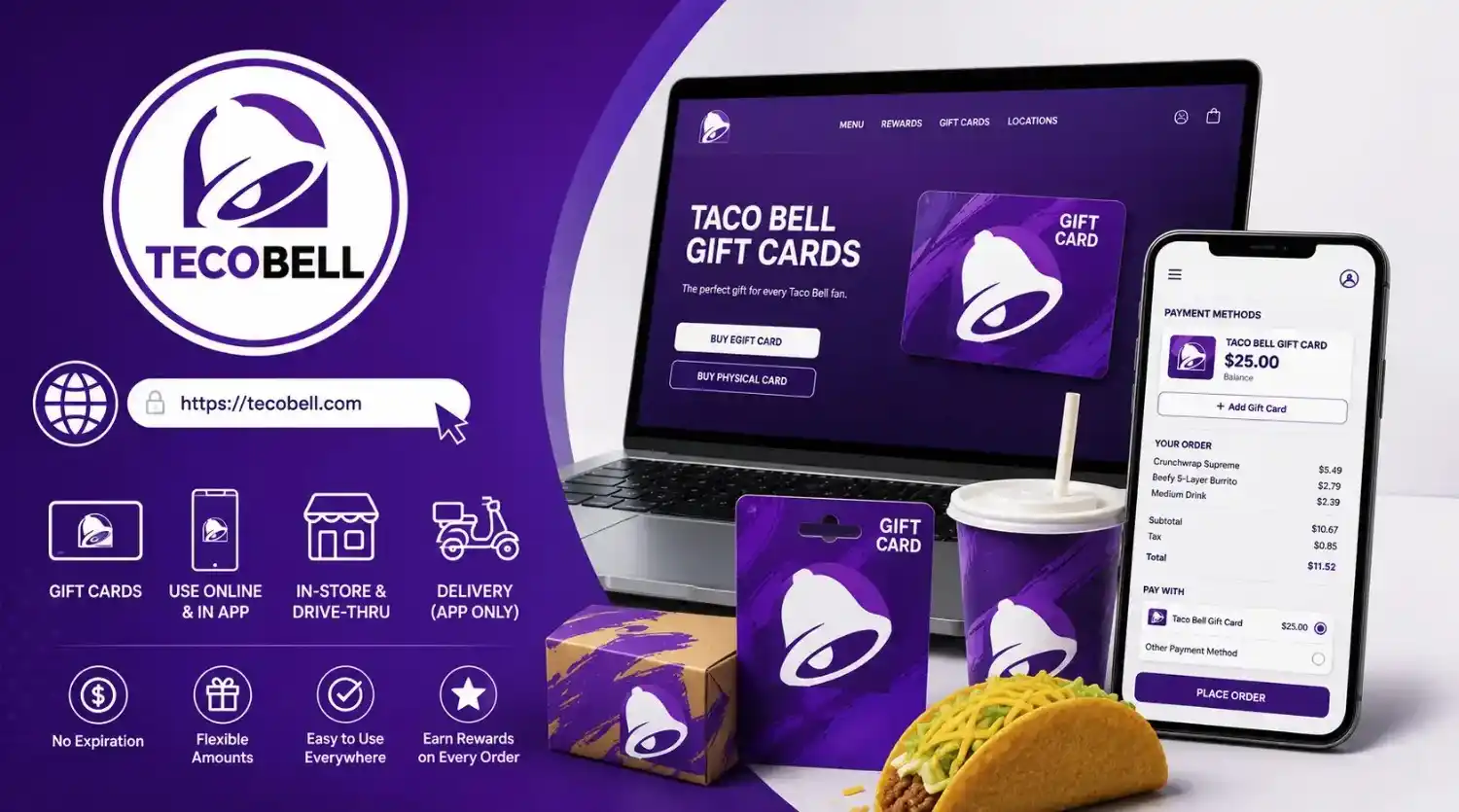
This is the easiest and most reliable way to use a Taco Bell gift card. Once the card is saved in your account, you never have to think about it again. The app handles the balance automatically.
Step 1: Open the Taco Bell app and sign into your account. If you do not have an account yet, create one. It takes under two minutes and connects you to Taco Bell Rewards, which earns you points on every dollar you spend—including gift card dollars. We have a complete breakdown of how those points work in our Taco Bell Rewards guide.
Step 2: Tap your profile icon, usually in the top right corner of the screen. Select “Payment Methods” from the menu.
Step 3: Choose “Add Gift Card.” You will see two fields: one for the card number and one for the PIN or security code. On a physical card, both numbers are on the back. The PIN is under a scratch-off panel. On an eGift card, both numbers are in the email.
Step 4: Enter both numbers and tap “Save.” The card is now stored in your account. The app displays the current balance next to the card.
Step 5: Build your order as usual. When you reach the checkout screen, select the gift card as your payment method. The app deducts the order total from the card balance. If the balance covers the entire order, you pay nothing else. If the balance is less than the order total, the app applies the full remaining card balance and asks you to choose a second payment method—credit card, debit card, Apple Pay, or Google Pay—to cover the difference.
That is the entire process. The card stays in your account until the balance hits zero. You can add multiple gift cards to the same account, and the app will use whichever card has a balance unless you tell it otherwise.
How to Use a Gift Card on the Website
The website process is nearly identical to the app, with a slightly different layout.
Step 1: Go to the Taco Bell website and sign into your account. If you use the same account across the app and website, any gift cards you saved in the app will already appear here.
Step 2: Navigate to your account settings and find the payment methods section. Select “Add Gift Card” and enter the card number and PIN.
Step 3: Place your order, proceed to checkout, and select the gift card as your payment method. The website applies the balance the same way the app does—full balance if it covers the order, or partial balance with an option to split payment if it does not.
The website and app share the same account backend. A card added on one platform appears on the other automatically.
How to Use a Gift Card In-Store or at the Drive-Thru
Using a physical card at the counter or drive-thru is straightforward, but there are a couple of things worth knowing before you try it.
For physical cards: Hand the card to the cashier when you pay. They will swipe or scan it, and the register deducts your order total from the balance. If your order costs more than the card balance, tell the cashier before they swipe so you can split the payment. You can pay the remaining amount with cash, credit, debit, or another gift card. If you do not mention the split ahead of time, the register will apply the full card balance and decline the remaining amount, and you will have to run a second transaction, which is annoying for everyone involved.
For eGift cards: Pull up the email on your phone. The email contains a barcode or QR code along with the card number and PIN. Show the barcode to the cashier, and they will scan it like a physical card. If the email does not have a scannable barcode, read the card number and PIN to the cashier and they can enter it manually. This takes longer and feels a little awkward, but it works. I recommend saving a screenshot of the eGift card to your photos before you get to the register. It loads faster than digging through your email while a line forms behind you.
A quick tip for the drive-thru: Tell the cashier you are paying with a gift card before they total your order. It helps them select the right payment option on their screen and keeps the line moving.
Using Gift Cards for Delivery Orders
Gift cards work for delivery, but only when you order through the Taco Bell app or website. Third-party delivery platforms do not accept Taco Bell gift cards.
Here is how it works. Open the Taco Bell app, build your order, and select “Delivery” instead of “Pickup” or “Drive-Thru.” Enter your delivery address. The app shows you available locations and estimated delivery times. Proceed to checkout. Select your saved gift card as the payment method. The card balance applies to the food total, but not to delivery fees or tips.
Delivery fees and driver tips require a separate payment method. The app will prompt you to add a credit card, debit card, or digital wallet for these charges. Your gift card covers the food. Your second payment method covers everything else.
This is the same whether you are using a physical card or an eGift card. Both types work for delivery as long as the order originates in the Taco Bell app.
If you try to use a Taco Bell gift card on DoorDash, Uber Eats, or Grubhub, the platform will reject it. The card only works within Taco Bell’s own ordering system.
Can You Reload a Taco Bell Gift Card
This is one of those questions that seems like it should have a simple answer, but it does not.
Physical Taco Bell gift cards cannot be reloaded. Once the balance hits zero, the card is done. You keep it for sentimental reasons or you throw it away. There is no option on the website or in the app to add funds to an existing physical card.
eGift cards also cannot be reloaded. Each eGift card is a one-time issuance with a fixed balance. If you want to add more money later, you purchase a new eGift card with a new code.
There is no Taco Bell-branded reloadable card program. Some retailers sell general-purpose prepaid Visa or Mastercard gift cards that can be reloaded and used at Taco Bell, but those are not Taco Bell gift cards. They are bank-issued cards that happen to work at Taco Bell along with everywhere else.
If you want the convenience of always having a balance ready, the best approach is to keep a credit card or debit card saved in the app as your primary payment method and use gift cards as one-time supplements.
What Happens When Your Order Exceeds the Card Balance
You have a $10 gift card. Your order comes to $13.47. Here is exactly what happens.
In the app or on the website, the system applies the full $10 balance to your order and asks for a second payment method to cover the remaining $3.47 plus tax. You can use a credit card, debit card, Apple Pay, or Google Pay. The split is handled automatically. You do not need to calculate anything.
In-store or at the drive-thru, the process is manual. Tell the cashier your gift card has a specific balance and you want to split the payment. They will run the gift card first. The register deducts whatever the card holds and shows the remaining balance due. You then pay that remainder with cash, card, or another gift card.
If you do not mention the split ahead of time, two things can happen. Some registers will automatically apply the card balance and prompt for a second payment. Others will decline the transaction entirely because the card does not cover the full amount. Neither outcome is a disaster, but the first is smoother, and it depends on the cashier knowing to split the tender. Just tell them upfront.
Do Gift Cards Expire
No. Taco Bell gift cards do not expire. The funds on a physical card or eGift card remain valid indefinitely. There are no dormancy fees, no maintenance charges, and no hidden deductions that slowly drain the balance over time.
This applies to cards purchased directly from Taco Bell and cards purchased from authorized retailers. Some third-party resale platforms may have their own policies about unused balances, but those are separate from Taco Bell’s official policy.
If you find an old Taco Bell gift card in a drawer that you bought three years ago, the balance is still there. Check it on the website and use it.
Do Gift Card Purchases Earn Rewards Points
This is where people get confused, and I understand why. The distinction matters.
Buying a gift card does not earn Taco Bell Rewards points. If you spend $25 on a gift card, you have a $25 gift card and zero points. The purchase of the card itself is not a food purchase, so the rewards system ignores it.
Using a gift card to pay for food does earn points. When you spend that $25 gift card on actual menu items, you earn 10 points per dollar on the food total, exactly the same as if you paid with a credit card or cash. The points are tied to the food purchase, not the payment method. If you want to understand exactly how those points translate into free food, we have a complete guide that breaks down every rewards tier and redemption option.
Think of it this way. Taco Bell Rewards cares about what you buy, not how you pay for it. A Crunchwrap Supreme earns the same points whether the money comes from a gift card, a debit card, or a pile of quarters.
Common Gift Card Problems and How to Solve Them
I have run into most of these myself or helped friends through them. Here is what goes wrong and what to do about it.
The card number or PIN is unreadable. On physical cards, the PIN is under a scratch-off panel. If you scratch too hard—and I have done this—you can damage the numbers underneath. If you can still make out most of the digits, try variations of the damaged ones. If the panel is completely destroyed, call Taco Bell gift card support. They can sometimes verify the card using the card number alone and issue a replacement. Keep the damaged card. You will need to provide the card number to support.
The eGift card email never arrived. Check your spam folder first. I have found legitimate Taco Bell eGift emails in spam more than once. If it is not there, check that you entered the correct recipient email address during purchase. If the email address was wrong, contact Taco Bell customer service immediately with your order confirmation number. They can resend the eGift to the correct address in most cases.
The card shows a zero balance when you know it has money. This usually happens because the card was not activated properly at purchase. If you bought it at a retail store, the cashier may not have fully completed the activation process. Return to the store with your receipt and ask them to verify activation. If you bought it online and it shows zero, contact Taco Bell support with your order details.
The app will not accept the card number. Double-check that you are entering the full card number without spaces or dashes. On physical cards, the number is long and easy to mistype. The PIN is a separate code, usually four to eight digits, not part of the card number. If it still does not work, the card may not have been activated, or you may be trying to add an international card to a US account. Taco Bell gift cards purchased in the United States work only at US locations.
You lost a physical gift card with a remaining balance. If you registered the card on the Taco Bell website before losing it, you can report it lost and potentially recover the balance. If you never registered it, the balance is gone. There is no way to recover an unregistered lost card. This is the strongest argument for adding gift cards to your app account immediately after receiving them. Once the card is saved in the app, the physical plastic no longer matters.
Frequently Asked Questions (FAQs)
Where can I buy Taco Bell gift cards?
You can buy them at any Taco Bell restaurant, on the Taco Bell website, at major retailers like Walmart, Target, Walgreens, and CVS, and through third-party platforms like Amazon and GiftCards.com. eGift cards are available exclusively through the Taco Bell website.
Do Taco Bell gift cards expire?
No. Funds on Taco Bell gift cards do not expire. There are no dormancy fees or maintenance charges.
Can I use a Taco Bell gift card on the app?
Yes. Add the card to your app payment methods and select it at checkout. The balance applies automatically.
Can I use a Taco Bell gift card for delivery?
Yes, but only when you order delivery through the Taco Bell app. Delivery fees and tips require a separate payment method. Third-party apps like DoorDash do not accept Taco Bell gift cards.
Can I reload a Taco Bell gift card?
No. Physical cards and eGift cards cannot be reloaded. Once the balance reaches zero, the card is done.
How do I check my gift card balance?
Visit the Taco Bell gift card balance page on the website, check in the app if the card is saved to your account, or call Taco Bell gift card support. You need the card number and PIN.
What happens if my order costs more than the card balance?
In the app or on the website, the full card balance is applied and you pay the remainder with a second payment method. In-store, tell the cashier you want to split payment before they run the card.
Can I use a Taco Bell gift card at KFC or Pizza Hut?
No. Taco Bell gift cards work only at Taco Bell locations in the United States, even though KFC and Pizza Hut share the same parent company.
Do I earn Rewards points when I buy a gift card?
No. Buying a gift card does not earn points. Using a gift card to pay for food does earn points.
Can I use an eGift card in-store?
Yes. Show the barcode or QR code from the email on your phone, or read the card number and PIN to the cashier.
What if I lose my physical gift card?
If you registered the card on the Taco Bell website, contact support to report it lost and potentially recover the balance. If you did not register it, the balance cannot be recovered.
How long do eGift cards take to arrive?
Usually within a few hours. During business hours, delivery often takes under ten minutes. Check your spam folder if it does not appear.
Can I buy a Taco Bell gift card with a custom amount?
Yes, on the Taco Bell website. Retail stores typically sell fixed denominations of $10, $25, or $50.
Can I use multiple gift cards on one order?
In the app, you can add multiple gift cards to your account, but only one can be selected per transaction. In-store, you can use multiple cards if you split the payment manually with the cashier.
Do Taco Bell gift cards work internationally?
Taco Bell gift cards purchased in the United States work only at US locations.
If you have questions about this guide or Taco Bell gift cards we did not cover, reach out through our Contact Us page. For our complete legal policies, read our DMCA Policy, Cookie Policy, and Privacy Policy. Return to our homepage at https://tecobell.com/.
Final Thoughts
Taco Bell gift cards are about as straightforward as gift cards get. They do not expire. They work everywhere Taco Bell accepts payment. They integrate cleanly with the app and website. The only real friction points are the things that trip people up with any prepaid card—losing the physical plastic, forgetting to check the balance before ordering, and assuming they work on third-party delivery platforms.
The smartest way to handle a Taco Bell gift card is to add it to your app account the moment you receive it. That solves the balance-checking problem, eliminates the risk of losing the physical card, and makes the payment process seamless at checkout. If you are giving a gift card, consider an eGift card. It arrives instantly, cannot be lost in the mail, and the recipient can save it to their app in under a minute.
Beyond that, the gift card works exactly the way you expect it to. Swipe it, scan it, or enter the code, and the money comes off your order. No expiration dates to track. No hidden fees. No complicated terms. Just a prepaid balance that sits there until you are ready to turn it into tacos.